 CleanLoupe
Smart Scan runs every module at once
Press one button and CleanLoupe runs Cleanup, Applications, Performance and My Clutter together, plus Photos if you have allowed photo access. You get one screen with the total it found, how much is safe to clean right now, and a card for each module that leads to the full list.
Version 1.0.0 · 4.1 MB .dmg · macOS 15 Sequoia or later · Apple silicon & Intel
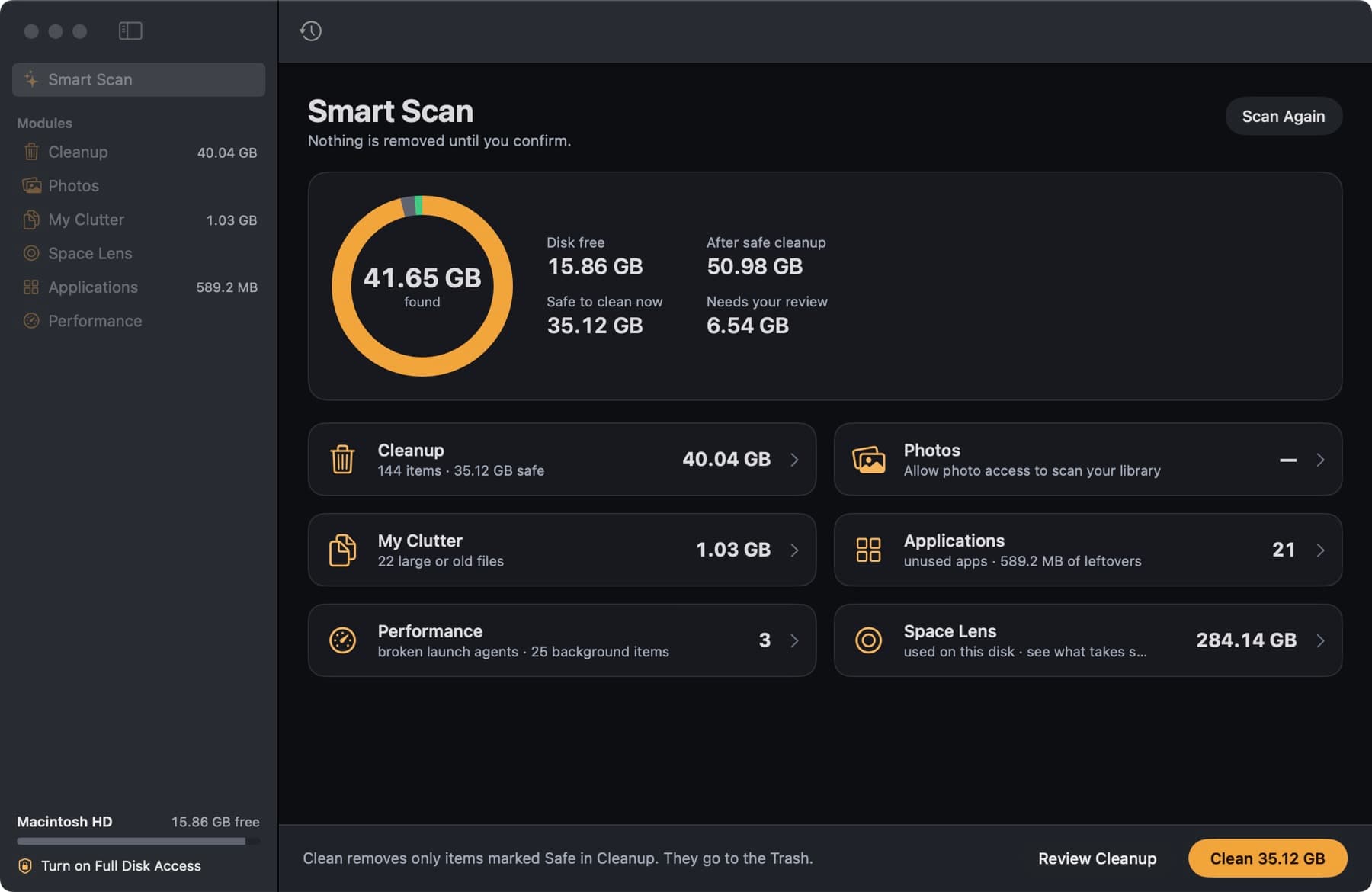
What one scan covers
Cleanup
Caches, logs, developer files, iPhone update files, Mail attachment copies and old installers from the vetted list of locations, each labelled Safe, Review or Careful.
Applications
Files left behind by apps you already removed, and updates available for your App Store and Sparkle apps.
Performance
Launch agents and daemons that start with your Mac, items that point to programs that no longer exist, and maintenance tasks.
My Clutter
Large and old files in your home folder, byte-identical duplicates and iCloud Drive downloads you can free.
Photos
Duplicates and look-alike shots in Apple Photos. Only included when you have given CleanLoupe access to your library.
Space Lens
A card that opens the ring map of your disk, for when you want to see where the space went.
How Smart Scan keeps your files safe
- The Clean button removes only the Cleanup items marked Safe. Everything else waits in its module for you to review.
- Cleaned items go to the Trash and are listed in History, where Put Back restores them until you empty the Trash.
- Anything written in the last hour is never preselected, so files an open app or a running build is using are left alone.
Related modules
Cleanup
App caches, logs, iOS update files, old iPhone backups, Mail attachment copies, old installers and the Trash.
My Clutter
Large and forgotten files, byte-identical duplicates, and iCloud Drive downloads you can free without deleting.
Applications
Uninstall apps with the files they left in your Library, clear leftovers of apps already removed, check for updates.

Try Smart Scan on your Mac
Smart Scan is part of CleanLoupe – Mac Cleaner. Every module is free, and everything you remove goes to the Trash first.
Download for MacVersion 1.0.0 · macOS 15 or later
SHA-256 0d70ca906c4589c93a87347ec4a64f84641a89c18a839edf4a3891a55388f191